

You’ve got a full room and an offer you believe in. Then the button goes up, and almost nobody clicks.
The offer usually isn’t the problem. A webinar CTA fails because the copy is vague or the timing is off. “Learn more” makes people guess what happens next, and a button at minute 58 reaches a fraction of the room.
Below are 10 webinar CTA examples with the psychology behind each, plus when to show them, where they belong and what never to say. Most examples online are written for software demos. These also cover what course creators, coaches and consultants need.
What the data says
22%
of attendees click an in-session call to action, on average
25%
of attendees act when two CTAs are live, above the 22% average
22 min
into a session, viewers start dropping off
Sources: Univid 2026; Contrast 2026
Table of Contents
What makes a webinar CTA work
A good call to action answers the viewer’s question before they ask it: what happens if I click?
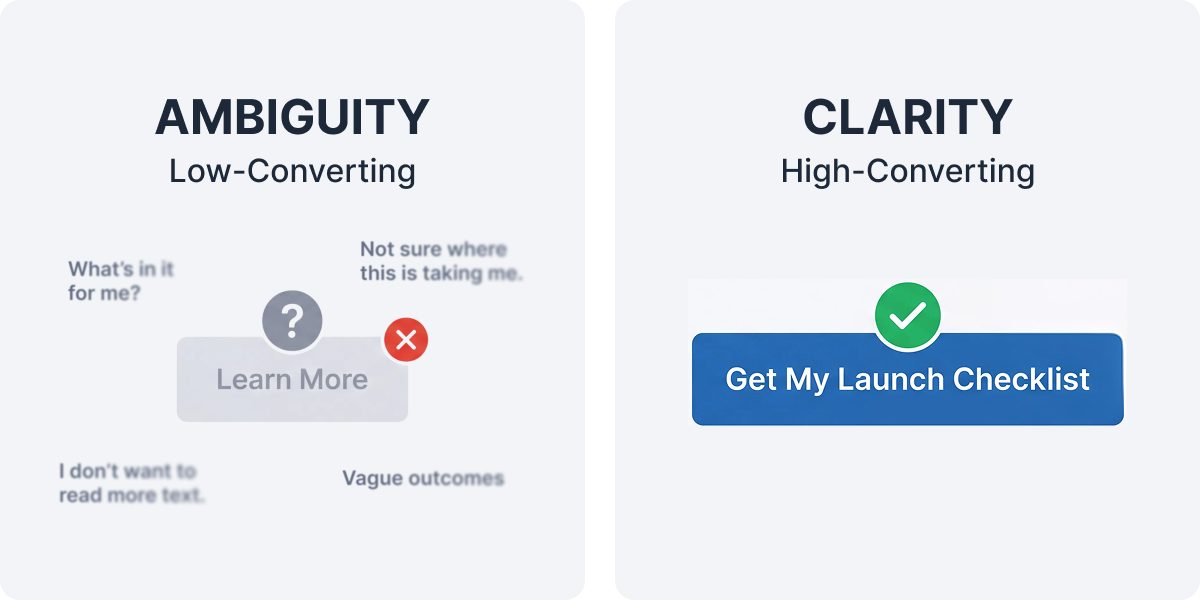
People avoid options with unclear outcomes, which psychologists call ambiguity aversion. That’s why “Learn more” underperforms and “Get the launch checklist” doesn’t. Use action-oriented language: start the button text with a verb, keep it to a few words, and name what the viewer gets.
10 webinar CTA examples and why each one works
1. “Save my free seat”
Use it on your registration landing page and wherever you’re promoting a webinar. First-person wording makes the seat feel like it’s already theirs, and “free” answers the price question. If it’s a free webinar, say so on the button.
2. “Add it to my calendar”
Use it on the confirmation page. Deciding exactly when you’ll do something makes you more likely to do it, an effect called implementation intention. This one lifts attendance rates, which is where webinars lose the most people: about half of registrants never attend live.
3. “Grab the worksheet”
Use it right after you teach a framework. Giving value first triggers reciprocity, and an early click makes the bigger one later feel familiar.
4. “Vote: what’s your biggest hurdle?”
Run it as a poll in the first 10 minutes. It teaches the room that participating is normal. Univid found highly engaged webinars converted 69% on their calls to action, against under 20% for quiet ones.
5. “Save your seat for part two”
Use it at the end of a session in a series. People who just showed up are primed to show up again. One WebinarJam customer used this to grow a university series from 10 attendees to 18, then toward 45.
6. “Book a 15-minute walkthrough”
Use it after a product demonstration. “Book a demo” sounds like an hour with a salesperson. A time box shrinks the perceived cost of saying yes and still brings in qualified leads.
7. “Book my strategy call”
Use it for high-ticket coaching or consulting. It frames the call as something the viewer gets, not a pitch they have to sit through.
8. “Enroll before Friday’s close”
Use it for courses with a real deadline. Loss aversion makes a closing window motivating, but only if it’s real. WebinarJam’s urgency setting adds a countdown that starts when the offer first appears.
9. “Claim one of 20 spots”
Use it for genuinely limited cohorts. Scarcity raises perceived value. WebinarJam’s scarcity setting shows the units left, and you reduce it manually as sales come in, which keeps it honest.
10. “Watch the replay before Sunday”
Use it in follow-up emails to people who registered but didn’t attend. It admits they missed the session and pairs one clear action with a real deadline. Replays and on-demand webinars only convert when they have an end date.
When to show your call to action
Earlier than most hosts do. Contrast’s data shows viewers start leaving around minute 22, and only 37% finish a 60-minute webinar. An offer saved for the final minutes reaches a fraction of the room.
Mention the offer early
One line in the first 10 minutes tells people a next step exists.
Use small CTAs first
A poll and a worksheet build the clicking habit before you ask for money.
Present the main offer about two-thirds of the way through
Then keep it live through Q&A.
Use two CTAs, not one or five
A primary action plus a softer option, like “Enroll” and “Book a call.”
Our webinar script templates cover the spoken side of the offer.
Where your webinar CTA button belongs
Put the same call to action on your slide, in your webinar platform’s offer panel and in your voice. Each catches people the others miss.
In the room
During a live webinar in WebinarJam, offers appear as a panel with a clickable button linking to your sales page. Set them up in advance, then launch each one at the right moment. Our guide to polls, offers and handouts covers the setup.
On the registration page
Keep the call to action button above the fold and test the button text. Several WebinarJam plans include A/B split testing for registration pages, and the registration page scorecard checks the rest.
In follow-up emails
Use one primary CTA per email. Our follow-up email guide maps which belongs in each.
What not to say
| Avoid | Why it fails |
|---|---|
| “Learn more,” “Click here,” “Submit.” | None of them names an outcome. |
| “Download your free eBook here.” | Generic. Name the actual thing. |
| “Don’t miss out!” | Fear with nothing specific to miss. |
| “Over 95% of attendees recommend this!” | Unsourced social proof costs you trust. |
| “Only 3 spots left!” when spots are unlimited. | Fake scarcity gets screenshotted. |
| Five buttons at once. | Two performs best. |
Would you click it?
Eight button labels you’ll see on webinar pages. Pick good or bad for each one, then see why.
1 of 8
Learn more
Right. It’s a bad CTA.
It hides the outcome, so people can’t tell what happens after the click.
Not quite. It’s a bad CTA.
It hides the outcome, so people can’t tell what happens after the click.
2 of 8
Get the 5-email launch sequence
Right. It’s a good CTA.
A verb plus the exact thing they’ll receive. Nothing left to guess.
Not quite. It’s a good CTA.
A verb plus the exact thing they’ll receive. Nothing left to guess.
3 of 8
Yes! I want this!
Right. It’s a bad CTA.
Excitement isn’t information. The button never says what “this” is.
Not quite. It’s a bad CTA.
Excitement isn’t information. The button never says what “this” is.
4 of 8
Save my seat for Thursday
Right. It’s a good CTA.
“My” makes the seat feel like theirs, and naming the day plants a plan.
Not quite. It’s a good CTA.
“My” makes the seat feel like theirs, and naming the day plants a plan.
5 of 8
Book a 15-minute strategy call
Right. It’s a good CTA.
The time box shrinks the commitment, so saying yes feels small.
Not quite. It’s a good CTA.
The time box shrinks the commitment, so saying yes feels small.
6 of 8
Click here to continue
Right. It’s a bad CTA.
It describes the mechanics, not the reward. Continue to what?
Not quite. It’s a bad CTA.
It describes the mechanics, not the reward. Continue to what?
7 of 8
Enroll before Friday’s close
Right. It’s a good CTA, if the deadline is real.
A real deadline motivates. A fake one gets screenshotted and costs trust.
Not quite. It’s a good CTA, if the deadline is real.
A real deadline motivates. A fake one gets screenshotted and costs trust.
8 of 8
Don’t miss this incredible opportunity!
Right. It’s a bad CTA.
Fear and hype with nothing specific to miss. Hype words cost trust.
Not quite. It’s a bad CTA.
Fear and hype with nothing specific to miss. Hype words cost trust.
Your score so far: of 8
Grade your own CTA
Type the button text you plan to use and see how it scores against the rules in this article.
A strong webinar CTA:
- starts with a verb, like “Get” or “Save”
- names what they get
- uses 2 to 6 words
- skips filler like “learn more” and “click here”
- uses “my” where it fits
- says “free” or how quick it is, when that’s true
How it looks
Click here to register
0/100
Ideas from this article
How to measure your webinar CTA
Click-through rate (CTR): CTA clicks divided by live attendees. Univid’s average is about 22%, a useful benchmark for webinar conversion rates at this stage.
Registration page conversion: registrations divided by page visitors. A/B testing button text pays off fastest here, because traffic is highest.
Completed actions: a click isn’t a sale. Our checklist of webinar conversion mistakes shows how to test that the button reaches a working checkout.
These CTA best practices apply whether you run a Zoom webinar or a WebinarJam session. The webinar software changes how you set up the button, not why people click it. Match each CTA to its stage in your sales funnel and your wider webinar strategy.
Common questions
What makes a good webinar CTA?
One specific action in action-oriented language, with a visible outcome, shown when the viewer is ready. “Get the launch checklist” beats “Learn more” because it names what happens next.
When should you make an offer in a webinar?
Mention it early, present it about two-thirds of the way through, and keep it live during Q&A. Viewers start leaving around minute 22, so an offer saved for the end reaches only part of the room.
How many CTAs should a webinar have?
Two: a primary action and a softer alternative. In Univid’s data, webinars with two active CTAs converted 25% of attendees, above the 22% average.
Sources
- Univid, Webinar Insights 2026
- Contrast, Webinar Statistics 2026
- WebinarJam Support, Add product offers to your webinar