



Run webinars without chasing everything that happens after.


Turn every webinar into a system that runs on its own.


Choose how your webinars connect to the rest of your business.
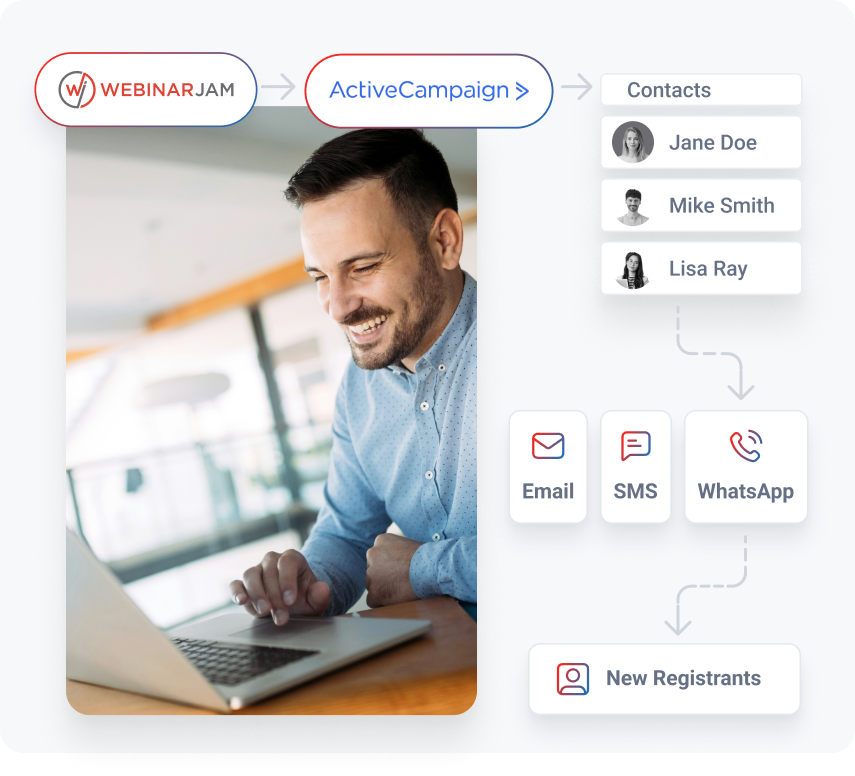
ActiveCampaign

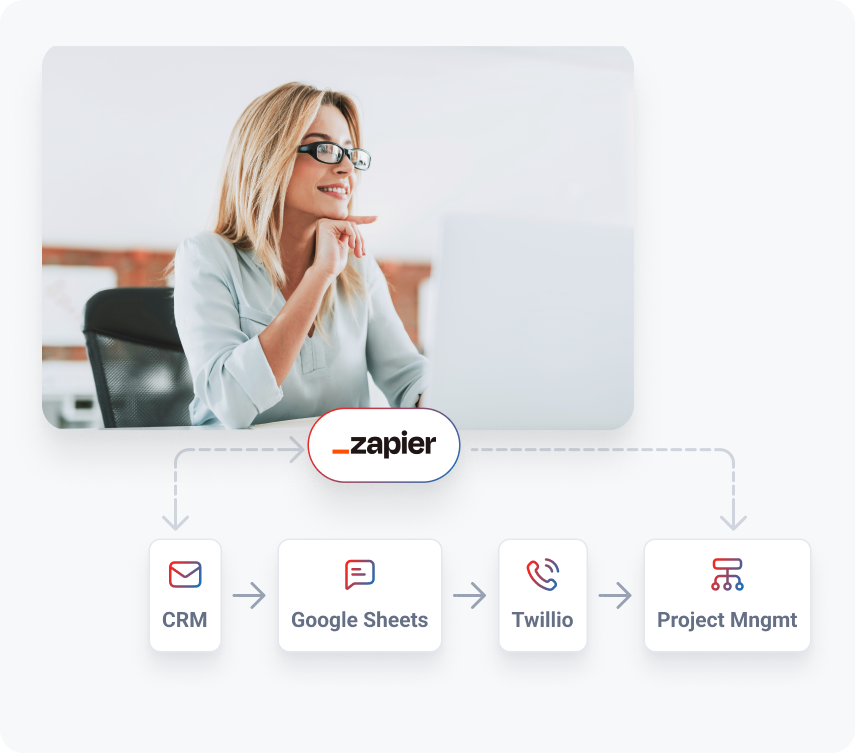
Zapier
How WebinarJam integrations work
WebinarJam Integrations FAQ
WebinarJam is used to host live and automated webinars that generate leads, build trust, and drive sales. It allows you to run presentations, interact with attendees through chat and polls, and guide viewers toward a specific next step.
More importantly, WebinarJam becomes the trigger point for your marketing system. Through WebinarJam integrations, you can automatically send follow-up emails, tag contacts in your CRM, and move people into the right funnel based on how they engage with your webinar.
WebinarJam does not have a native HubSpot integration, but you can connect WebinarJam to HubSpot using tools like Zapier or n8n.
With these integrations, you can:
- Send webinar registrants into HubSpot
- Update contact records based on attendance
- Trigger follow-up workflows inside HubSpot
This allows you to keep your CRM aligned with what’s happening inside your webinars without manual work.
They serve different purposes.
Zoom is designed for meetings and simple presentations.
WebinarJam is built for marketing, lead generation, and sales through webinars.
With WebinarJam, you get:
- Registration pages and automated reminders
- Behavioral tracking (who attended, how long, who clicked)
- Built-in offers, redirects, and conversion tools
- Deep integrations with email platforms and CRMs
If your goal is to grow your business through webinars, WebinarJam gives you a system. Zoom gives you a meeting room.
Not at all.
The format has evolved, but the core idea remains powerful:
teaching live (or automated) while building trust and guiding people toward a decision.
What has changed is what happens after the webinar.
Today, the value comes from:
- Personalized follow-up
- Segmented messaging
- Automated workflows
That’s where WebinarJam integrations play a critical role.
To set up a WebinarJam integration in n8n, you’ll typically:
- Use a WebinarJam trigger (via webhook or API)
- Capture events like new registrations or attendance
- Connect those events to actions in other tools (CRM, email, database)
For example:
- New registration → create contact in CRM
- Attended webinar → trigger follow-up email
- Purchase → update status and notify team
n8n gives you flexibility to build custom workflows beyond standard integrations.
You can automate WebinarJam integrations using:
- Native integrations (like ActiveCampaign) for deeper automation
- Zapier for connecting to thousands of apps
- n8n for custom workflows and advanced logic
Automation typically works like this:
- A trigger happens in WebinarJam (registration, attendance, purchase)
- That trigger sends data to another tool
- An action is performed automatically (email sent, contact tagged, task created)
This removes the need to manually manage follow-up or data syncing..
WebinarJam pricing is based on the plan you choose, which typically scales based on features and attendee capacity.
Access to integrations (including API and automation tools like Zapier or n8n) requires a paid plan. Trial versions may not include full integration capabilities.
For most users, the value comes from replacing multiple tools and reducing manual work through automation.
Yes.
n8n allows you to combine WebinarJam with other apps in flexible workflows.
For example:
- WebinarJam + CRM (HubSpot, Salesforce)
- WebinarJam + email platforms
- WebinarJam + internal tools or databases
- WebinarJam + Slack for team notifications
This makes it possible to build a system that matches how your business actually runs.
Yes.
Kartra integrates with WebinarJam for live webinars and includes EverWebinar for automated webinars.
This allows you to:
- Run live presentations for engagement and conversion
- Turn those into automated webinars that run continuously
- Connect everything to your email, funnels, and follow-up systems
Together, they support both real-time and on-demand webinar strategies.
Common use cases include:
- Sending webinar registrants into a CRM or database
- Triggering personalized follow-up based on attendance behavior
- Notifying your team when high-intent actions happen
- Logging webinar activity for reporting and analysis
- Connecting WebinarJam to internal tools not supported by native integrations
n8n is especially useful when you need more control or customization.
WebinarJam can integrate with a range of CRM tools, including:
- ActiveCampaign (native integration)
- HubSpot (via Zapier or n8n)
- Salesforce (via Zapier or API)
- Other CRMs through automation platforms
These integrations allow you to sync contacts, track engagement, and trigger follow-up actions automatically.
ActiveCampaign is one of the most seamless CRM integrations with WebinarJam due to its native “Deep Integration” capabilities.
With it, you can:
- Apply tags based on detailed webinar behavior
- Trigger advanced automation workflows
- Keep your contact data fully aligned
Other platforms like HubSpot or Salesforce can also integrate effectively using Zapier or n8n, though they rely on external automation. allow you to sync contacts, track engagement, and trigger follow-up actions automatically.
Some of the best email marketing tools to integrate with WebinarJam include:
- ActiveCampaign (for advanced automation and tagging)
- Mailchimp (via Zapier)
- ConvertKit (via Zapier)
- Other platforms through Zapier or n8n
The best choice depends on how much control and personalization you want in your follow-up.
You can enhance your webinar marketing by integrating WebinarJam with:
- Email marketing platforms for follow-up and nurturing
- CRM tools for contact management and segmentation
- Automation tools like Zapier and n8n
- Payment systems to track purchases and trigger onboarding
- Internal tools for team notifications and tracking
These integrations turn a single webinar into a connected system that continues working after the event ends.