

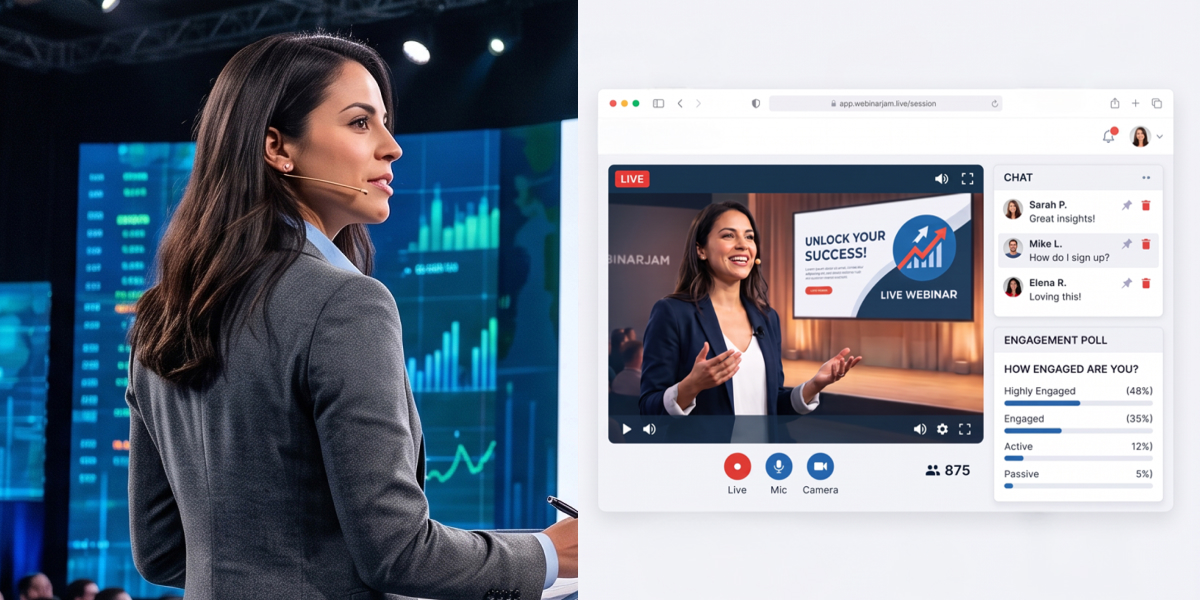
Ray Lozano was standing on a stage in a school gym when his entire business ended.
He’d just finished speaking to a few hundred students about drugs and alcohol, the same presentation he’d been giving since he left high school himself. It was a Friday. The principal walked him out and told him schools were shutting down.
Like most people in March 2020, Ray assumed two weeks.
Four months later he still hadn’t earned anything. Today he’s still speaking to students, still running the same business, and one session now reaches ten schools at once. This is how his wife Kris rebuilt it on WebinarJam, what she was comparing platforms on, and the one setting that turned a 10-person session into a 45-person one.
If you speak, train, or facilitate for a living, the useful part isn’t the pandemic. It’s what webinars for speakers actually require, which turns out to be almost nothing like what webinar software is usually sold on.
Table of Contents
Who is Ray Lozano?
Ray is a professional speaker. His work is drug and alcohol prevention, delivered to students in schools, the assembly you probably sat through in a gym at some point. He’s been doing it since straight out of high school.
His wife Kris runs the operational side while Ray presents. As Ray puts it: “He’s the talent. I’m behind the scenes.” That matters, because the person who found the software wasn’t the person on stage.
What happens when every booking disappears at once?
Everything stops, and nothing replaces it. Ray’s revenue was entirely physical. Travel to a school, present, get paid. When schools closed there was no reduced version to fall back on.
“Two weeks later, we were freaking out,” Ray says. “All of our income is shut down.”
Roughly four months without earning. Then Kris found WebinarJam.
“I think we would have gone under if we didn’t have it.” Kris Lozano
Why they chose WebinarJam
Kris built a spreadsheet.
“I did a lot of research. I had a whole spreadsheet going of different platforms that I was investigating, and you guys came up on top. Price was perfect, all of that.” Kris Lozano
Her methodology is worth copying. She wasn’t comparing webinar platform feature lists. She was scoring each one against what a school would refuse to accept, and three things decided it. All three were WebinarJam features, not webinar features generally.
No visible attendee faces. Schools had contractual restrictions around students, and putting minors on camera created complications nobody wanted. WebinarJam shows the presenter without putting the audience on screen. Kris now uses the same thing as a selling point with adult audiences: “Ladies, don’t worry about having to be camera ready.”
Mute without removing. Prevention work means talking about drugs in front of teenagers, and some push back in the chat. WebinarJam lets you quiet a disruptive attendee without ejecting them from an assembly, which matters when the client is a school and the attendee is their student.
Nothing to download. This turned out to be the biggest, and not for the reason you’d guess.
“One of the selling points that I loved right away was that there was nothing to download. With Zoom, one of our populations is predominantly older folks who get us into schools. Those guys in their 70s and 80s do not know how to download Zoom. They don’t know how to get on. But if I give them a link and they can open it up on their phone or their iPad, that has been really nice.” Ray Lozano
Security sealed it. This was the era of meetings being hijacked, and Ray describes a friend whose session was destroyed by intruders who “just went crazy.” He built a list of WebinarJam’s safety features and sent it to the schools.
“They’re like, oh yeah, we can work with that.”
That list is what won the contracts. Six years later they’re still customers.
What a webinar looks like when the audience is a gym full of students
Not what you’d expect, and it’s the part most speakers get wrong.
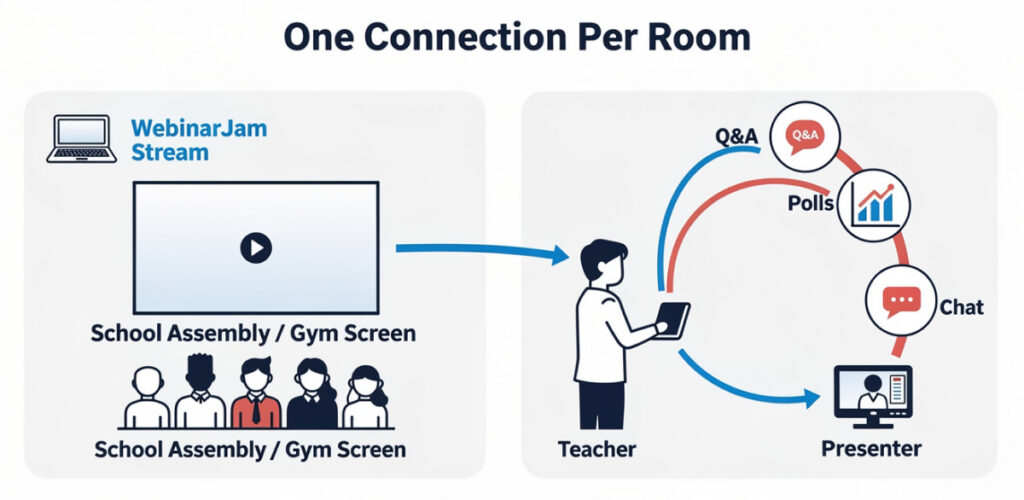
They don’t put every student on a device. In a district running ten schools, the session is projected onto a screen in each room with a teacher at the computer, and questions come through the teacher rather than hundreds of chat windows.
Worth stealing. One connection per room is easier to manage, easier for the client, and it sidesteps everything individual logins break.
They still build in interaction using WebinarJam’s polls, chat and emoji reactions, so the session isn’t a broadcast. Ray’s reason is practical: “A lot of times when I’m on Zoom, I’m distracted by my own face. I love that the presenters are on there, everybody can relax and actually listen.”
One category note. You probably don’t need a platform built for virtual events. A multi-track conference tool is a different product at a different price. One presenter delivering one session needs webinar software.
What changes about the presentation
The content survives the move. Everything around it doesn’t.
- Your slide deck does more work. In a room you’re the visual. On screen people read your slides, so a PowerPoint built as a backdrop usually needs rebuilding. Fewer words, bigger type, a visual on every slide.
- Your microphone matters more than your camera. Audiences forgive poor video and abandon bad audio in a minute.
- Do dry runs. Not a tech check. A full run in the actual platform, watching for anything in the deck that doesn’t survive live streaming compression.
- Audience engagement has to be designed. In a gym you feel attention drifting and adjust. On a webinar you can’t, so plan the polls, chat prompts and Q&A session in advance.
Ray builds all of it in, which is why sessions hold a room of teenagers who could be doing something else. Our guide to creating an engaging webinar covers the mechanics.
How one session’s audience became the next session’s registrations
By using WebinarJam’s offer button for something other than an offer.
Ray and Kris run a series of six to eight sessions for a university partner. The first had about 10 attendees.
Kris set the in-session offer button to register attendees for the next webinar in the series. All 10 signed up on the spot. The second session had those 10 plus 8 more, so 18. The third is tracking toward 45.
“And then they get the replay that they love, and reminders, and so that’s a big deal.” Ray Lozano
Every session converts its own audience into the next one’s registration list, so promotion only has to bring the new people. Ray’s summary of his own approach is telling:
“I’ve learned how to maximize the offer tab even though it’s not an offer.” Ray Lozano
The label undersells it. The offer button handles any in-session action, whether that’s a next-session signup, a resource or a form. More on placing and timing those in our guide to polls, offers and handouts.
What webinars for speakers actually require
Most webinar advice assumes you’re selling to a list you own. Webinars for speakers work differently. Your audience arrives through a client organization, the booking is already agreed, and your job is delivering to a room you didn’t fill.
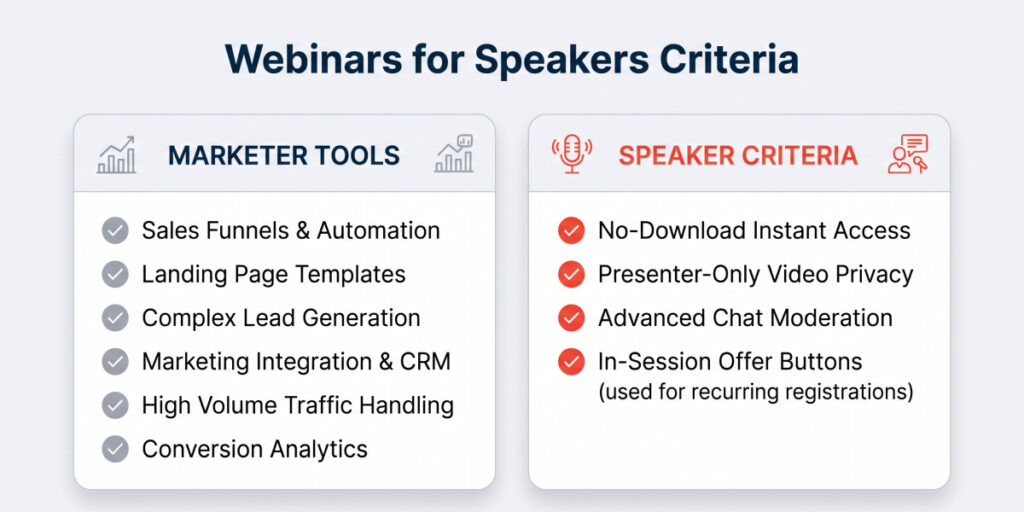
Your platform criteria aren’t a marketer’s criteria. Kris’s spreadsheet scored access, privacy and moderation, not funnels, landing page templates and lead generation.
Friction at the door costs you the whole audience. A download requirement doesn’t lose a percentage of attendees. It loses everyone who can’t complete it, and you never find out who.
One connection per room beats one per person when presenting to an organization.
Turn each session into the next one’s registration list. The cheapest audience growth available to a speaker running a series, and almost nobody uses the offer button that way.
Recording gives you an asset, not just a replay. Ray and Kris also hold an EverWebinar licence, and WebinarJam sessions import into it directly, so a talk that works live becomes an evergreen one without rebuilding it.
If you sell programs to individuals rather than presentations to organizations, using webinars for coaching covers the version built around a different sales motion.
Getting booked as a webinar speaker
There’s a second opportunity Ray’s story points at without taking.
Organizations run webinars constantly and struggle to fill the slots. Companies building thought leadership programs, associations serving members, and businesses running a webinar series all need guest speakers, and they’d rather book industry experts than present again themselves.
What hosts look for in webinar speakers is consistent:
- A clear webinar topic they can put on a landing page
- A speaker profile with a photo, a bio, and the speaker’s name spelled how you want it published
- Proof you’ve done it, whether that’s case studies, recordings, or testimonials from previous hosts
- Reliability, which matters more to them than fame
Panels are the easiest way in. Being one of three panelists is a lower-commitment ask than a solo slot, and keynote speakers usually get invited back for it once a host has seen them work. Being a recognised thought leader helps, but reliability wins bookings more often.
The collaboration helps both sides. The host gets a session they didn’t write; you get brand awareness with a room you’d never reach, and often lead generation afterward. Agree who gets the registration data before the webinar, not after.
Most hosts run registrations through a platform like HubSpot, so expect a link rather than building your own page from templates. Ask about the reminder sequence. Attendance is your result too.
Common questions
Do webinars for speakers work as well as in-person events?
For some audiences, better. They remove travel and the capacity ceiling of a room, at the cost of the energy a live crowd gives you. Ray’s district sessions reach ten schools at once.
What should a speaker look for in webinar software?
Access first. Can your audience join without downloading anything, on any device? Then moderation: can you mute a disruptive attendee without removing them? Then privacy: can you present without putting the audience on camera? Marketing features matter less when your audience is booked through a client.
Should speakers use live or automated webinars?
Live first. A talk that lands in a room doesn’t always land through a screen, and you need real-time feedback to know. Once it’s proven and you’re repeating it, automating turns one webinar topic into a series without presenting every time.
Six years on, Ray and Kris are still running the business Kris rebuilt in 2020. He’s still the talent, she’s still behind the scenes.
“We’re real fans.” Ray Lozano