

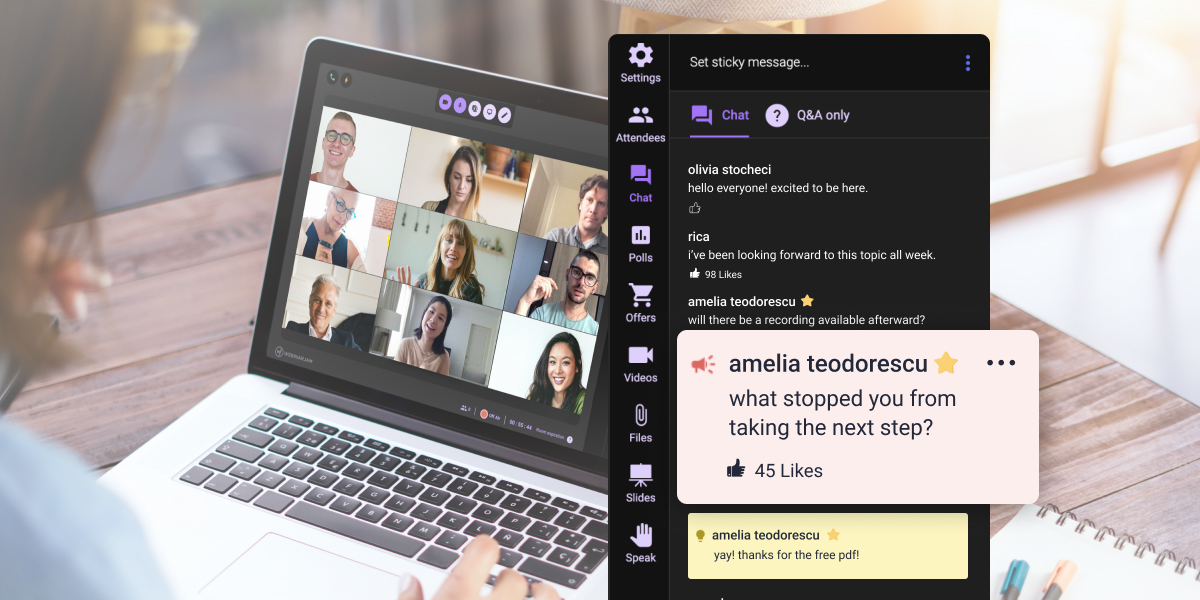
Here is something most webinar hosts already know but rarely act on: an attendee can enjoy your session, stay through the Q&A, and still leave without clicking, booking, buying, or watching the replay.
Enjoyment is not clarity. Clarity is not trust. Trust is not readiness to act.
Most post-webinar surveys treat feedback like a report card. They ask whether the content was useful, whether the presenter was engaging, and whether the session ran too long. Those questions are fine for measuring satisfaction. They are poor tools for understanding why interested people did not move forward.
This article gives you 25 post-webinar survey questions organized by goal, a five-question short version for fast deployment, a ready-to-use template, and a process for turning answers into better follow-up and a sharper next pitch.
One note before the list: do not ask all 25 questions in one survey. Pick five to seven based on the type of webinar you ran. The goal is diagnosis, not data collection.
What are post-webinar survey questions?
Post-webinar survey questions are prompts you send after a live session to understand what attendees experienced, what confused them, what stopped them from acting, and what follow-up would actually help.
That last part is where most surveys fall short. They measure how the webinar felt instead of what it produced.
The distinction matters because a strong satisfaction score and weak offer response can coexist without contradiction. People can enjoy your webinar and still feel uncertain about the next step, unconvinced by the offer, or unclear about whether the solution fits their situation.
A stronger survey separates those things. It asks not just “Did you like it?” but “What still feels unresolved?”, “What would stop you from moving forward?”, and “What would make the next step easier?”
Those answers are the ones worth building follow-up around.
The question most webinar hosts avoid
Before the question bank, one question deserves its own section because it is the most useful one in the list and the one hosts are most tempted to skip:
“What, if anything, would stop you from taking the next step?”
That question can feel confrontational. It is not. It is diagnostic.
The answers tell you whether the friction is timing, price, fit, trust, implementation, internal approval, confusion about the offer, or simple lack of urgency. More importantly, they tell you whether the next version of your webinar needs a clearer explanation, a better-matched audience, a slower transition into the pitch, or a different proof point.
Most webinar teams misread low offer response as a persuasion problem. Sometimes that is correct. Often, the real issue is that the webinar attracted people who were not ready, skipped an explanation that mattered, introduced the offer before trust was established, or never addressed the objection that was sitting in the room the whole time.
A survey will not fix that automatically. It will show you exactly where to look.
How to use this question bank
Pick five to seven questions based on the session type.
Sales webinars: prioritize objection, offer clarity, and next-step questions.
Training webinars: prioritize clarity, implementation, and future-topic questions.
Product demos: prioritize use-case fit, evaluation criteria, technical concerns, and buying-readiness questions.
Coaching or consulting webinars: prioritize situation, urgency, objections, and call-readiness questions.
Community or education webinars: prioritize usefulness, clarity, future topics, and resources.
For each question below, the wording matters less than what the answer tells you to change. That is why each question includes an action note.
Category 1: Webinar experience and clarity
These questions reveal whether the session delivered what people came for. They belong in almost every post-webinar survey, but they should not be the whole survey.
1. Did the webinar deliver what you expected when you registered?
What it reveals: whether your registration promise matched the actual session.
If attendees expected a tactical workshop and received a broad sales presentation, you will see it here. If they expected beginner-level content and the webinar assumed experience they did not have, you will see that too.
This question is worth asking every time because registration copy drifts, audiences shift, and what you think you promised is not always what people heard.
Action: If mismatch appears consistently, rewrite the title, landing page headline, confirmation email, or opening setup of the webinar itself.
2. What was the most useful part of the webinar?
What it reveals: the moment attendees valued most, which is often not the section you spent the most time building.
In practice, the answer may be a live example, a casual aside, a Q&A answer, or a short explanation the presenter almost cut for time. Knowing which part landed best tells you what to expand, move earlier, or use as the anchor in follow-up emails.
Action: Expand, move earlier, or reuse the section attendees name most often. If answers scatter across the whole webinar, the session may lack a clear throughline.
3. Which part felt unclear, too fast, or incomplete?
What it reveals: friction points in the content before the offer.
This wording is intentionally more specific than “Was anything confusing?” People resist admitting confusion because it can feel like a personal failure. Giving them three easier answers — clarity, pacing, or missing detail — removes some of that barrier and usually produces more specific responses.
Action: Add examples, slow the explanation, or expand the section before the pitch. If the same section comes up repeatedly across different webinars, that section needs a structural fix, not just a slower delivery.
4. What topic would you have liked more time on?
What it reveals: missing depth and hidden anxiety.
When attendees ask for more implementation detail, they often believe the method but doubt their own ability to execute it. When they ask for more examples by industry or role, they may not yet see themselves in the solution. Both are signs of a confidence gap the webinar did not close.
Action: Add a deeper section, a follow-up resource, or a future webinar on the topic that surfaces most. Flag recurring answers as potential standalone content.
5. How would you describe the main takeaway in your own words?
What it reveals: whether the message landed the way you intended.
This is a quiet message clarity test. If answers cluster around language close to your intended takeaway, the session worked. If the answers scatter in different directions, your core message needs simplification and earlier repetition.
Some presenters find that attendees can describe the problem clearly but not the solution. That often means the teaching landed, but the offer transition did not.
Action: Simplify the core message, repeat it earlier, and check whether the bridge from teaching to offer makes the connection explicit.
Category 2: Audience fit and intent
Weak offer response is not always a pitch problem. Sometimes the webinar attracted people who were never going to buy. These questions help you figure out who was actually in the room.
6. What best describes your current situation?
What it reveals: where each attendee sits in the problem-awareness journey.
This is a segmentation question. For a course creator webinar, answer options might include:
- I have not created my first course yet.
- I have an idea but have not started.
- I have a course but need more students.
- I already sell a course and want to improve the process.
For a SaaS demo, options might include:
- I am researching options.
- I am comparing tools.
- I need internal approval.
- I am already using a similar product.
Action: Segment follow-up emails by readiness stage. Someone evaluating options needs different follow-up from someone waiting on budget approval.
7. What problem were you hoping this webinar would help you solve?
What it reveals: the gap between audience intent and your webinar promise.
If answers are scattered across very different problems, the topic may be too broad or the registration copy may be attracting the wrong audience. If answers describe problems more advanced than what the webinar covered, the content may need to move faster. If they describe more basic problems, the pitch may be assuming too much.
Action: Re-align the topic, examples, registration copy, or follow-up sequence based on the problem patterns you see.
8. How urgent is this problem for you right now?
What it reveals: the difference between active buyers and future learners.
Someone who needs to solve the problem soon may respond better to direct next-step follow-up. Someone collecting ideas for later needs nurture content. Treating both groups with the same follow-up sequence is one of the most common and most correctable mistakes in webinar follow-up.
Action: Prioritize direct next-step messaging for high-urgency respondents. Send education-first content to lower-urgency respondents rather than pushing them toward a decision they are not ready to make.
9. What have you already tried to solve this problem?
What it reveals: how sophisticated the attendee is.
Someone who has tried several tools, hired a consultant, and read deeply on the topic needs different content than someone encountering the problem for the first time. The experienced person may need comparison and renewed confidence. The newcomer may need education and a smaller initial commitment.
Action: Segment follow-up by experience level. Beginners often need a lower-stakes first step before the main offer makes sense to them.
10. What would make a solution feel like the right fit for you?
What it reveals: the actual decision criteria in the attendee’s own language.
You may think people are evaluating features or price. They may be evaluating ease of implementation, whether the tool fits their existing process, whether support is accessible, or whether they trust that someone at their stage can use this approach.
Action: Collect recurring language and use it in future webinar copy, offer framing, follow-up emails, and sales page copy.
Category 3: Objections and hesitation
This is where the survey earns its place in a sales process. These questions are not about pressuring people. They are about understanding why interested people pause.
11. What, if anything, would stop you from taking the next step?
What it reveals: the specific objection cluster sitting between interest and action.
Objections are not uniform. Timing objections need different follow-up from trust objections. Budget questions are different from implementation fears. Confusion about the offer is different from low urgency. If you do not know which objection type is most common among your attendees, your follow-up is guessing.
Action: Group answers by objection type — timing, trust, budget, fit, implementation, approval, confusion, urgency — and write follow-up for each cluster instead of sending everyone the same email.
12. What question did you still have after the webinar ended?
What it reveals: what your Q&A, replay email, sales page, or demo script is missing.
If the same question appears from multiple attendees, the webinar is failing to answer something important. That gap often sits in the transition between teaching and offer, where presenters move quickly and attendees lose the thread.
Action: Answer the most common unanswered question in the first follow-up email, the replay, the Q&A section of the sales page, or the opening of the next live session.
13. Was anything about the offer or next step unclear?
What it reveals: whether people did not act because they were unconvinced or because they did not understand what they were being asked to do.
Those are different problems. An unconvinced person needs better proof, a clearer fit explanation, or a different audience targeting strategy. A confused person may just need clearer CTA language and a better description of what happens after they click.
Both show up as inaction. Only one is a persuasion problem.
Action: Clarify CTA button copy, the post-click experience, the follow-up expectation, or the explanation of what the offer includes.
14. What would you need to see, know, or believe before moving forward?
What it reveals: the specific gap between current trust and decision-ready trust.
Answers here often point toward examples, implementation steps, comparison content, stakeholder-friendly materials, or a clearer explanation of who the offer is and is not for.
The “is not for” part is frequently missing and frequently valuable. Telling people clearly who should not buy can increase trust among people who should.
Action: Create or send the asset that helps the attendee close the evaluation gap. This is often a use-case example, a short FAQ, a comparison page, or an implementation overview.
15. Did the webinar address your biggest concern about this topic? If not, what was missing?
What it reveals: the concern that mattered most, which is often not the one the presenter planned to address.
A product demo may walk through features while attendees worry about migration. A course webinar may explain curriculum while attendees worry about time commitment. A coaching webinar may teach a framework while attendees quietly wonder whether it applies to their specific situation.
If the concern that matters most goes unaddressed, a strong pitch still loses.
Action: Rework the teaching section or live Q&A structure around the concerns that appear most often. This is usually a positioning fix, not a content volume fix.
Category 4: Offer, CTA, and follow-up readiness
These questions reveal whether your call to action matched the awareness and readiness stage of the people in the room.
This is where many webinars break quietly. The content is solid, the offer is real, but the transition asks for a decision the audience was not yet ready to make.
16. How relevant did the next step feel to your current situation?
What it reveals: whether the offer problem is about targeting or explanation.
If people say the next step was clear but not relevant, the issue is likely audience targeting or offer positioning. If they say it was relevant but unclear, the pitch explanation needs work.
Both show up the same way in analytics — as inaction — but they require different fixes.
Action: Either refine the audience you are targeting or rewrite the bridge between the teaching content and the offer.
17. What next step would be most helpful for you now?
What it reveals: where the attendee actually is in the decision process.
Give them options:
- Watch the replay
- Download a checklist
- See a demo
- Read a comparison guide
- Book a call
- Join a deeper training
- Receive a short recap
Their answer tells you what the first follow-up email should contain and, equally important, what it should not push them toward too early.
Action: Send follow-up based on what the attendee says they need rather than what the funnel assumes they are ready for.
18. Would you prefer more examples, a short recap, or a direct recommendation?
What it reveals: the follow-up format that may be most useful.
People who want examples may need confidence or proof. People who want a recap may still be processing the content. People who want a direct recommendation are usually closer to action and more comfortable with a forward-moving message.
Action: Match the format of the first follow-up to the response pattern. One email to everyone is easier to send, but it is rarely the most useful message for every attendee.
19. If you did not take action during the webinar, what was the main reason?
What it reveals: the specific blocker in clear, choosable terms.
Use this as multiple choice with an optional comment. Good answer options include:
- I need more information.
- I need to discuss with someone else.
- The timing is not right.
- I am not sure it fits my situation.
- I have budget questions.
- I was interested but not ready to decide.
- I did not understand the next step.
Keep the options neutral. The goal is accurate routing, not assigning blame.
Action: Route follow-up by the specific blocker. Someone who needs to discuss the offer with a partner needs different content than someone who is not sure about fit.
20. What would make the offer easier to evaluate?
What it reveals: the asset type that would move the decision forward.
Common answers include a comparison page, an implementation overview, a worked example, a FAQ, a pricing breakdown, a shorter summary, or a one-on-one call. The answer tells you not just what to create, but what to send first.
Action: Build or send the evaluation asset people are actually asking for rather than the one your funnel already has.
Category 5: Future content and relationship-building
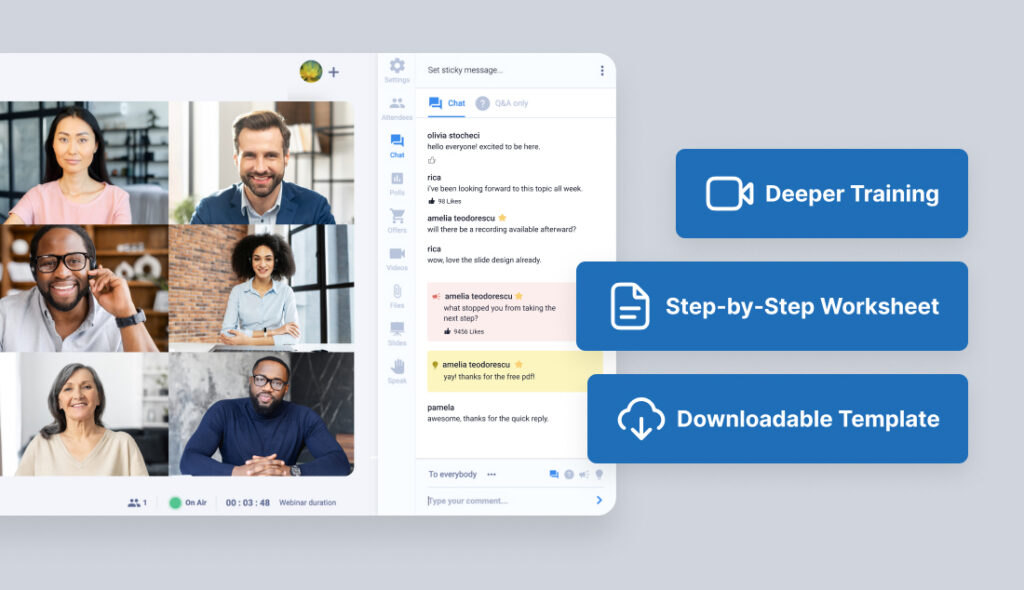
These questions help you plan future webinars and follow-up content. They also reveal how your audience thinks about the problem you are solving, which is useful even when no sale is imminent.
21. What topic should we cover in a future webinar?
What it reveals: content demand and the sophistication level of your recurring audience.
If suggestions are consistently more advanced than the current webinar, you may have an audience that has outgrown the entry-level framing. If they are consistently more basic, the current webinar may be starting too fast.
Action: Plan a follow-up webinar, an advanced training, or a beginner-friendly resource based on the pattern.
22. Who else on your team would benefit from this topic?
What it reveals: buying committee dynamics without turning the survey into a hard sales form.
For B2B webinars especially, the attendee who watched your session may not be the person who approves the budget or signs the contract. Knowing whether a manager, founder, technical lead, or procurement team needs to be involved tells you whether the follow-up should include shareable materials.
Action: Send a stakeholder-friendly summary or a short shareable recap that the attendee can forward.
23. What resource would help you apply what you learned?
What it reveals: the bridge between education and action.
Possible answers include a checklist, worksheet, template, replay, case example, demo, implementation guide, or Q&A session. The answer tells you what your post-webinar content library is missing and what would make the session feel complete rather than theoretical.
Action: Deliver or create the resource that comes up most often. This is often faster to produce than a new webinar and has a longer useful life.
24. Would you attend a deeper session on this topic?
What it reveals: continued interest, which is more meaningful than passive satisfaction.
Liking a webinar is a low signal. Wanting to attend a second, deeper session on the same topic is a stronger one. It also tells you whether a follow-up workshop, advanced training, cohort, or live Q&A may be worth planning.
Action: Invite interested respondents to a follow-up session.
25. Is there anything else you wanted to tell us that we did not ask?
What it reveals: the thing your survey did not know to ask for.
This question produces the occasional one-word non-answer and, less often, the comment that reframes everything. Read open responses carefully, especially when the same unexpected theme appears more than once.
Action: Review open responses for recurring patterns and unexpected objections. A theme that keeps surfacing here probably belongs in the main question bank next time.
The 5-question short version
Use this when you need fast feedback that still produces actionable answers:
- Did the webinar deliver what you expected when you registered?
- What was the most useful part?
- What question did you still have after the webinar ended?
- What, if anything, would stop you from taking the next step?
- What next step would be most helpful for you now?
That covers expectation match, content value, unanswered questions, hesitation, and follow-up preference.
Add one segmentation question if your audience includes meaningfully different roles, industries, or readiness levels.
Match each question to the decision it helps you make
Do not ask a question unless you know what you will do with the answer.
| What the answer reveals | Question to ask | What to change |
| Registration promise mismatch | Did the webinar deliver what you expected? | Rewrite the title, landing page, confirmation email, or webinar opening. |
| Message clarity | What was your main takeaway in your own words? | Simplify the core message and repeat it earlier. |
| Missing content | What felt unclear, too fast, or incomplete? | Add examples, slow the explanation, or expand the section before the pitch. |
| Buyer hesitation | What would stop you from taking the next step? | Adjust the pitch, Q&A, proof points, or follow-up by objection type. |
| Offer confusion | Was anything about the next step unclear? | Clarify CTA copy, post-click experience, and offer explanation. |
| Follow-up preference | What next step would be most helpful? | Segment replay, demo, call, checklist, or nurture follow-up accordingly. |
| Future demand | What topic should we cover next? | Plan a follow-up webinar, workshop, or advanced session. |
Before you publish the survey, ask yourself: “What will I do with this answer?” If the answer is “nothing,” cut the question.
Worked example: turning survey answers into the next pitch
A course creator runs a live webinar called “How to Build Your First Paid Workshop.”
The session teaches the structure of a paid workshop and closes with an invitation to join a paid cohort where participants build and launch their own workshop with guidance.
Offer response is lower than the host hoped. The survey goes out the same evening.
The question “What, if anything, would stop you from joining the cohort?” produces three answer clusters.
The first cluster: attendees are not sure their workshop topic is strong enough to sell. They believe the method but doubt the raw material they would bring to it.
The second cluster: attendees worry they will not finish the required assets within the cohort timeline. The deliverables sound demanding.
The third cluster: attendees want to know whether the cohort is designed for beginners or whether they need prior experience selling something.
None of these is a price objection. None is a trust problem with the presenter. All three are fixable.
The next version of the webinar adds a short topic-validation segment before the offer: three criteria for a workshop topic worth selling, with examples of strong and weak topics. The pitch slows down to explain what gets built and when, with a realistic timeline. The FAQ on the sales page adds a clear answer to “Is this for beginners?” with a plain description of who the cohort is and is not designed for.
The follow-up sequence splits by cluster. Attendees who flagged topic uncertainty receive a short email with examples of strong and weak workshop topics. Attendees who flagged time concerns receive a breakdown of the cohort schedule. Attendees who asked about fit receive a short “this cohort is for you if / not for you if” email.
No fake urgency. No louder pitch. No dramatic rewrite of the offer.
The survey showed where the bridge was missing. The fix was building the bridge.
How to collect post-webinar feedback
Timing matters. Attendees usually remember what helped them, what confused them, and what made them hesitate more clearly right after the session than days later. Send the survey while the event is still fresh, either immediately after the webinar or in the first follow-up email.
Common collection methods include:
- A post-webinar survey shown after the session ends
- A follow-up email with a survey link
- A prompt on the replay page for people who watch later
- A final chat message before the webinar closes
- A short form for people who clicked the offer or stayed through Q&A
Match the method to the goal. For a training webinar, ask about clarity, pacing, and implementation. For a sales webinar, include at least one objection-mining question. For a product demo, ask about use case, evaluation criteria, and the next decision step.
How to use survey answers in a WebinarJam follow-up process
The webinar should not end when the presenter signs off. The follow-up should already be planned before the session goes live.
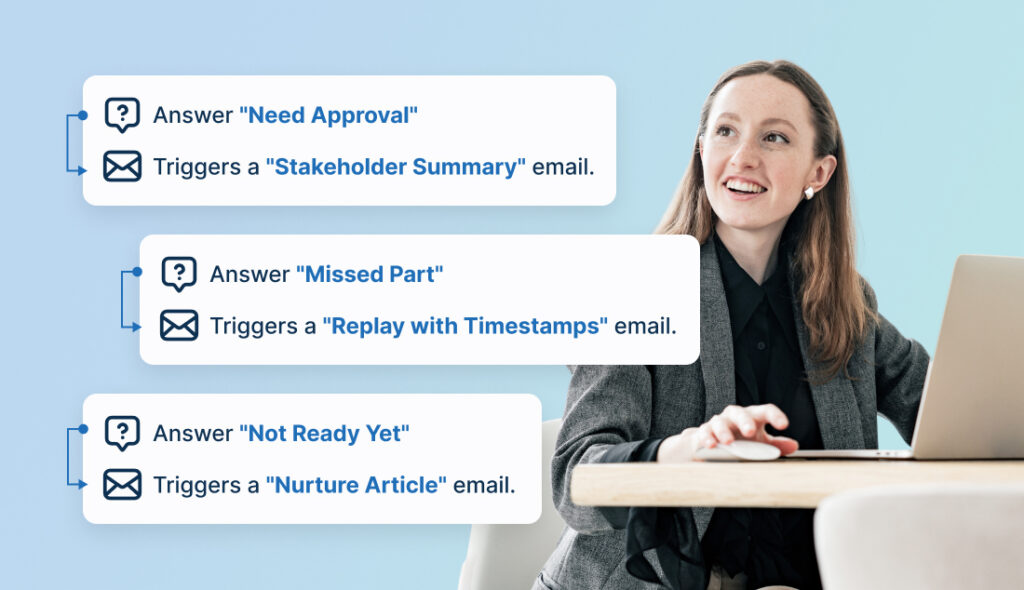
A practical process:
- Write the survey before the webinar. Decide which answers will change follow-up before you know what the answers will be.
- Run the session with those objections in mind. If timing is a common hesitation for your audience, address it in the webinar rather than waiting for the survey to confirm it again.
- Ask for feedback while the session is still fresh.
- Review survey answers alongside attendance, engagement, replay activity, and offer clicks.
- Adjust the next webinar, replay emails, Q&A structure, and pitch based on what you find.
With WebinarJam integrations, you can connect webinar activity with CRM, email, and marketing automation tools so follow-up can reflect what attendees did during and after the session. The exact setup depends on your tools, WebinarJam configuration, and current integration options.
Keep the strategy simple: attendees who flag a specific objection should receive follow-up that addresses that objection, not a generic replay reminder.
A few clean handoff examples:
Survey answer: “I need to see whether this fits my use case.”
Follow-up: Send use-case examples or a demo invitation.
Survey answer: “I need approval from someone else.”
Follow-up: Send a stakeholder-friendly one-page summary they can forward.
Survey answer: “I missed part of the explanation.”
Follow-up: Send the replay with the relevant section called out in the email.
Survey answer: “I am not ready yet.”
Follow-up: Send educational content. Do not pretend the person is ready to decide.
This is where the survey stops being a feedback form and becomes routing logic for the next conversation.
How to read survey answers without fooling yourself
Survey responses are useful but imperfect.
Some attendees will be too polite to name the real objection. Some will say “timing” when the actual issue is low trust. Some will say “budget” because it is easier than explaining that the offer did not feel relevant to their situation. Some will write one word. Others will give you a paragraph.
A few principles help.
Look for clusters, not outliers. If several people mention the same confusion, it matters. If one person objects to the format while others found it valuable, note it without rebuilding the webinar around that single response.
Compare answers with behavior. If attendees say the offer was interesting but few people clicked, review the transition and CTA. If many people watched the replay but did not act, the replay follow-up may need its own objection-handling sequence. If people stayed through Q&A but still had basic questions, the main presentation probably did not answer those questions early enough.
Analytics show what happened. Survey answers help explain why. Neither is complete without the other.
Do not treat the survey as a report card. Treat it as a diagnostic. The goal is not a high average score. The goal is finding the specific place where interested people stopped moving forward.
Common post-webinar survey mistakes
The first mistake is asking only satisfaction questions. “Did you enjoy the webinar?” is a useful data point and a poor diagnostic tool. People can enjoy a session and still leave confused, unconvinced, or unready to act.
The second mistake is making the survey too long. A survey that feels longer than the webinar gets abandoned. Five sharp questions are often more useful than fifteen polite ones.
The third mistake is using the same survey for every webinar type. A product demo, a paid course launch, a coaching webinar, and a member training have different goals and different failure modes. They need different questions.
The fourth mistake is sending the survey too late. If you want fresh objection data, ask while the webinar is still close in memory. If you want reflective answers about content value, asking later may still work.
The fifth mistake — and the worst one — is collecting feedback and changing nothing. If attendees consistently tell you the offer was unclear and the next webinar uses the same pitch, the survey was theater.
Post-webinar survey template
Use this as a starting point. Adjust based on session type.
Thanks for attending. Your answers help us improve future sessions and make sure the follow-up we send you is actually useful.
- Did the webinar deliver what you expected when you registered?
Yes / Somewhat / No - What was the most useful part of the webinar?
Short text - What felt unclear, too fast, or incomplete?
Short text - What question did you still have after the webinar ended?
Short text - What, if anything, would stop you from taking the next step?
Multiple choice:
- I need more information.
- I need to discuss with someone else.
- The timing is not right.
- I am not sure it fits my situation.
- I have budget questions.
- I was interested but not ready to decide.
- I did not understand the next step.
- Other.
- Optional comment field.
- What next step would be most helpful for you now?
Replay / Checklist or template / Demo / Book a call / Comparison guide / Deeper training / Short recap - Is there anything else you wanted to tell us that we did not ask?
Optional open text
For a sales webinar, keep questions 1, 4, 5, and 6.
For a training webinar, keep questions 1, 2, 3, and 7.
For a product demo, keep questions 1, 5, and 6, then add a question about use case and evaluation criteria.
Final checklist before you publish the survey
Before adding a post-webinar survey to your next session, check five things:
- You have a short version with five to seven questions.
- At least one question asks about hesitation or next-step friction.
- At least one question helps segment follow-up by readiness, role, or objection type.
- Every question maps to a decision you will make afterward.
- You have at least one follow-up asset ready — replay email, checklist, demo invitation, FAQ, or short recap — before the survey goes out. For help writing the email portion, use this guide to webinar follow-up emails.
That last point is the one people skip. If the survey asks what people need next, you should already have something to send them.
How WebinarJam supports the post-webinar feedback loop
For live sessions, WebinarJam supports real-time audience engagement tools such as Q&A and polls. That live interaction gives you more context for understanding post-webinar survey answers, especially when the same questions or objections appear in both Q&A and feedback.
That matters because the survey is not a standalone form. It is one step in a process that starts at registration and continues through attendance, live engagement, offer response, replay behavior, and follow-up.
When attendees ask similar questions in live Q&A and repeat the same confusion in the post-webinar survey, the next webinar probably needs a clearer explanation earlier in the session — not just a longer Q&A at the end.
When attendees engage during the session but hesitate at the offer, the follow-up should address specific objections rather than send everyone the same replay reminder.
When replay viewers ask different questions from live attendees, the replay follow-up may need a different sequence.
These are not complicated adjustments. They are just adjustments that require knowing what actually happened. The survey is how you find out.
The practical takeaway is simple: write the survey before the webinar goes live, decide in advance what each answer will change, and treat the responses as routing logic rather than a report card.
FAQ
How do I collect post-webinar feedback?
Collect feedback with a survey shown after the session, a follow-up email, a prompt on the replay page, or a short form for attendees who clicked the offer or stayed through Q&A. For sales webinars, ask while the session is still fresh. For training webinars, same-day or next-day feedback can both be useful depending on the goal.
For sales webinars, that third question is the most important one on the list.
How do I collect post-webinar feedback?
Collect feedback with a survey shown after the session, a follow-up email, a prompt on the replay page, or a short form for attendees who clicked the offer or stayed through Q&A. For sales webinars, ask while the session is still fresh. For training webinars, same-day or next-day feedback can both be useful depending on the goal.
How many post-webinar survey questions should I ask?
Five to seven questions is a good starting point for most webinars. That is usually enough to understand what worked, what caused confusion, what objections remain, and what follow-up would help. Add more only if each additional question maps to a decision you will actually make.
What is the best post-webinar survey question?
The most useful question for sales webinars is: “What, if anything, would stop you from taking the next step?” It surfaces objections that satisfaction questions often miss, including timing, trust, budget, fit, implementation concerns, and confusion about the offer.
Should a post-webinar survey be anonymous?
Anonymous surveys may produce more candid feedback, especially on objections. Named responses are more useful when you need to personalize follow-up, route leads, or connect survey answers to individual attendee behavior. Choose based on whether candor or follow-up routing matters more for that webinar.
When should I send a post-webinar survey?
Send it while the webinar is still fresh, either immediately after the session or in the first follow-up email. Attendees are more likely to remember the exact point where they hesitated when the session is still close in memory.
How do I make survey answers useful?
Group answers by theme: content gaps, audience fit gaps, trust gaps, offer gaps, timing gaps, and follow-up preferences. Then change the next webinar, Q&A structure, replay email, sales page, or follow-up sequence based on the patterns — not the outliers.
Conclusion
A post-webinar survey is only useful when it produces a change.
That means asking questions that give attendees permission to name objections, segmenting answers so follow-up is actually relevant, comparing survey themes with session behavior, and updating the next webinar, pitch, replay, or email sequence based on what people said.
Start with the five-question version if you need speed. Add targeted questions from the 25-question bank when you need more depth or when a specific category — objections, offer clarity, audience fit — keeps producing the same gaps.
If the survey does not change the next move, it is not doing its job.
For live webinars where feedback, Q&A, offers, replays, and follow-up need to work as a connected process rather than separate tasks, WebinarJam is built to support that broader live webinar process. The strategy is yours: ask better questions, find the objection, and close the gap.