Host Virtual Events
The virtual event platform for workshops & launches
A virtual event platform helps coaches run live, multi-speaker online workshops and launches without production chaos. WebinarJam gives you independent camera controls and rehearsal rooms so presenters stay on track. The result is smoother events, higher engagement, and fewer drop-offs.
Deliver flawless virtual events
The “8 Steps To Setting Up Your First Webinar Checklist” is your quick-start guide to the WebinarJam platform and will have you ready to go live in 8 simple steps.
Eliminate Technical Friction
Secure speaker logins, rehearsal rooms, and role-based permissions remove delays, prevent host confusion, and keep every session running smoothly.
Sustain Audience Engagement
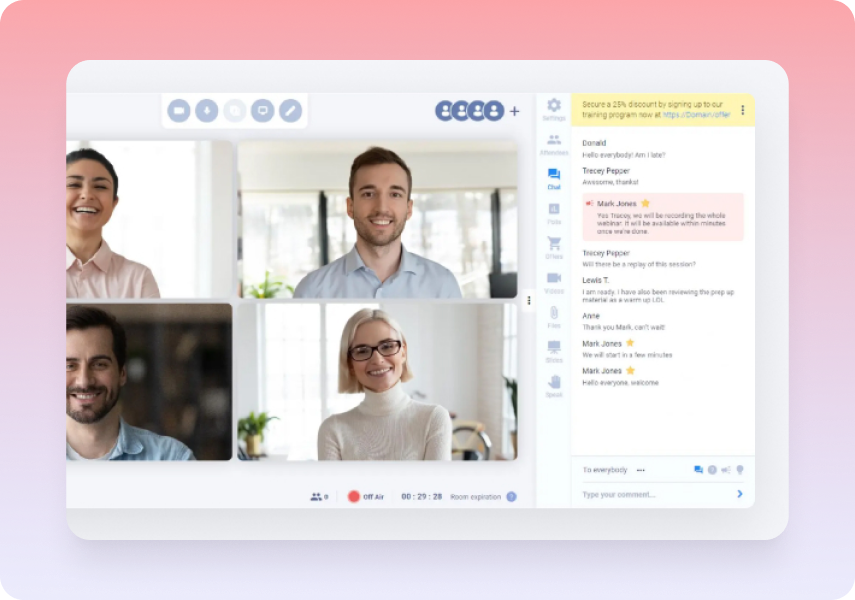
Persistent chat, polls, shared materials, moderation tools, and consistent branding maintain energy and professionalism across sessions and replays.
Protect Every Live Stream
Panic Button recovery, automatic recording, and universal browser access safeguard your event against disruptions and technical barriers.
Eliminate Technical Friction
Run every session without technical drag
Each speaker receives their own secure login with independent camera, screen share, and microphone control. This eliminates password sharing and “can you make me host?” delays. Rehearsal rooms let presenters test setups beforehand. Role-based permissions give hosts complete control.
Keep multi-speaker events organized with independent controls for each speaker.
Prevent tech hiccups on event day with rehearsal rooms for pre-event testing.
Maintain security during broadcasts with role-based permissions for hosts.
Enable instant access for all with browser-based delivery without downloads.
Sustain Audience Engagement
Keep audiences engaged between sessions
Chat conversations, poll results, and shared materials remain accessible during sessions and replays. Moderation tools handle large audiences while maintaining conversation quality. Consistent branding creates professional experience throughout the virtual conference.
Preserve engagement across sessions with chat and polls in replays.
Keep materials accessible with sharing during events and replays.
Manage large audiences effectively with moderation tools.
Deliver professional polish with consistent branding throughout.
Protect Every Live Stream
Stream with built-in safety nets
Internet connectivity issues occur during live events. Hosts use Panic Button to reboot webinar rooms during emergencies. Recording continues through recovery. Browser delivery avoids firewall or software compatibility problems for high-attendance live events.
Recover instantly from disruptions with Panic Button room reboot.
Support thousands of attendees with plan-based capacity limits.
Capture every moment automatically with session recording.
Eliminate setup barriers with universal browser compatibility.
Virtual Events FAQs
What distinguishes virtual event platforms from video conferencing?
How many speakers can participate in virtual events?
What happens during technical difficulties in virtual events?
Explore Other Solutions